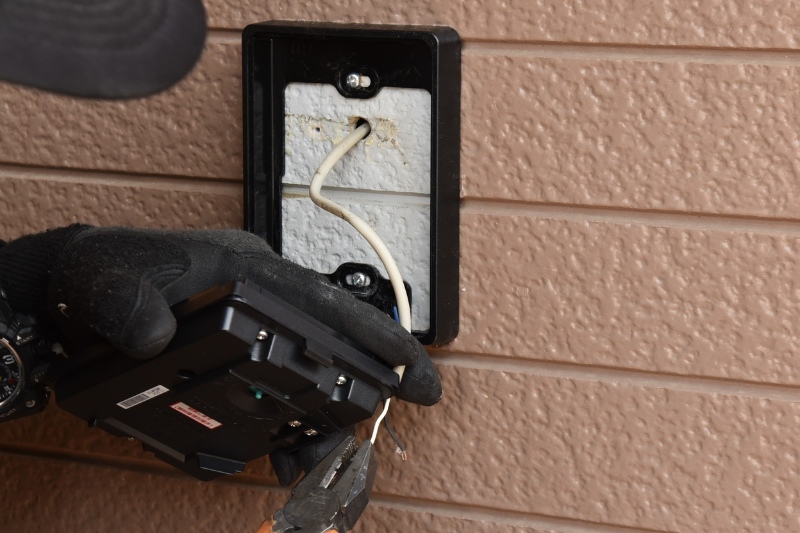
Smart intercoms are becoming the go-to choice for modern apartments, condos, and office buildings. They offer features like remote door unlocks, video calling, package delivery access, and integration with smart locks. But as powerful as these systems are, installation mistakes can ruin performance, create frustration for residents, and even compromise security.
Here are the most common smart intercom installation mistakes and how to avoid them.
Mistake 1: Choosing the Wrong Location
Many property managers mount intercoms in poorly lit or hard-to-reach spots. This creates problems with both visibility and usability.
✅ Solution: Place the intercom at eye level, near the main entrance, and in a well-lit area. Make sure visitors can easily see the camera and use the touchscreen or buttons.
Mistake 2: Ignoring Power & Connectivity Needs
Some smart intercoms require Power-over-Ethernet (PoE), while others need a dedicated power supply or backup battery. Poor planning here leads to outages.
✅ Solution: Review the manufacturer’s power requirements and ensure you have reliable power + internet connections. Always include a backup like a UPS.
Mistake 3: Forgetting About Weather Protection
Outdoor units face rain, snow, extreme heat, and dust. Installing without proper weatherproofing shortens the system’s life.
✅ Solution: Use IP65-rated enclosures and weather seals. If possible, place the unit under an awning or overhang for extra protection.
Mistake 4: Poor Network Setup
A weak or overloaded Wi-Fi signal leads to laggy video, delayed unlocks, and dropped calls.
✅ Solution: For best results, use a hardwired Ethernet/PoE connection. If Wi-Fi is your only option, ensure you have strong signal coverage and a dedicated bandwidth allocation.
Mistake 5: Skipping Access Control Integration
Installing the intercom but failing to connect it to smart locks, elevators, or gates leaves features underused.
✅ Solution: Plan integration ahead of time. Test door strikes, elevators, and garage gates to confirm smooth operation with the intercom.
Mistake 6: Not Training Residents & Staff
Even the most advanced system fails if residents don’t know how to use it.
✅ Solution: Provide a welcome packet with instructions, hold a training session for staff, and send reminders about software updates or new features.
Mistake 7: Skipping Maintenance
Dusty cameras, outdated firmware, or neglected wiring cause avoidable breakdowns.
✅ Solution: Schedule quarterly maintenance. Clean camera lenses, check wiring connections, and update firmware regularly.
Mistake 8: DIY When Professional Help Is Needed
Some building managers attempt DIY installations for complex intercom systems — often leading to mistakes, security risks, or warranty voids.
✅ Solution: For large buildings or advanced integrations, hire a certified installer. Professional setup ensures compliance with manufacturer standards and saves time in the long run.
Final Thoughts
Installing a smart intercom is a major upgrade that boosts both security and convenience. But cutting corners or overlooking key steps can cause expensive problems down the road.
By avoiding these common mistakes — from poor placement to ignoring power needs — you’ll ensure a smooth installation and long-lasting system performance.
👉 If you’re not confident in handling wiring, integration, or system setup, it’s always worth calling in a professional installer.
RECENT POSTS
-
Voice Control and Touchless Access: The Next Big Leap in Intercom Technology
-
The Future of Smart Intercoms: AI, IoT, and Beyond
-
Common Installation Mistakes to Avoid with Smart Intercoms
-
Step-by-Step Guide: Installing a Smart Intercom in Your Building
-
Top 5 Alternatives to ButterflyMX Smart Intercoms
-
In-Depth Review: ButterflyMX vs 2N Smart Intercom Systems
-
How to Choose the Right Smart Intercom for Your Property
-
Top 10 Budget-Friendly Smart Intercoms Under $500
-
Top 10 Smart Intercoms for Apartments in 2025
-
Akuvox vs Aiphone: A Detailed Review for Property Managers
-
ButterflyMX vs 2N: Which Smart Intercom Fits Your Building Best?